
ZuploZuplo
LoginStart for Free
  • Documentation
  • API Reference
Introduction
Getting Started
    Develop using the Portal
      1 - Setup Your Gateway2 - Rate Limiting3 - API Key Auth4 - Deploy5 - Dynamic Rate LimitingMCP - Quick start
    Develop Locally
      1 - Setup Your Gateway2 - Rate Limiting3 - API Key Auth
Concepts
Development
    CORSEnvironment VariablesBranch-Based DeploymentsTestingTroubleshootingGitOps vs TerraformCustom Code
    Local Development
      QuickstartRoutes DesignerInstalling PackagesZuplo ServicesDebuggingEnvironment variablesTypeScript ConfigTroubleshooting
    Guides
Policies
Handlers
API Keys
MCP Server
MCP Gateway
AI Gateway
Developer Portal
Monetization
Deploying & Source Control
Observability
Networking & Infrastructure
Account Management
Programming API
Build with AI
Zuplo CLI
Migration Guides
Platform LimitsSecuritySupportTrust & ComplianceChangelog
powered by Zudoku
Local Development

Routes Designer

The Routes Designer is a visual tool that allows you to create and edit routes, as well as add policies, for your Zuplo Gateway without having to manually edit the OpenAPI routes.oas.json file manually.

When you run npm run dev, the Routes Designer is automatically started on port 9100. You can access it by visiting http://localhost:9100 in your browser.

TerminalCode
$ npm run dev Started local development setup Ctrl+C to exit 🚀 Zuplo Gateway: http://localhost:9000 📘 Route Designer: http://localhost:9100 # <-- Your local route designer

Routes Designer

If you are using VS Code, you can open it in the Simple Browser extension to see it side-by-side as follows.
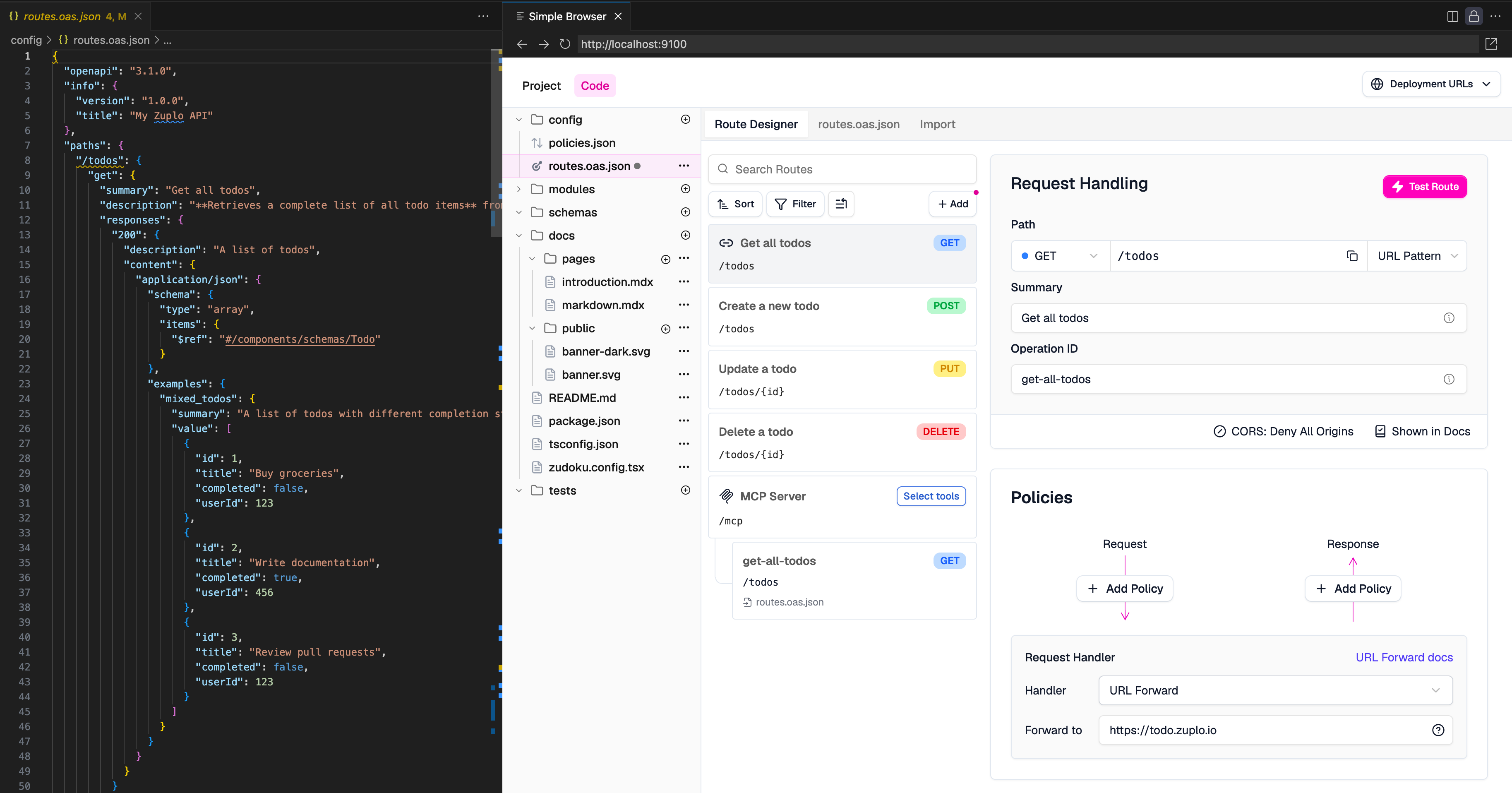
VS Code with Simple Browser

Edit this page
Last modified on August 8, 2025
QuickstartInstalling Packages