

Metrics, Billing & Quotas
Readme Metrics Policy
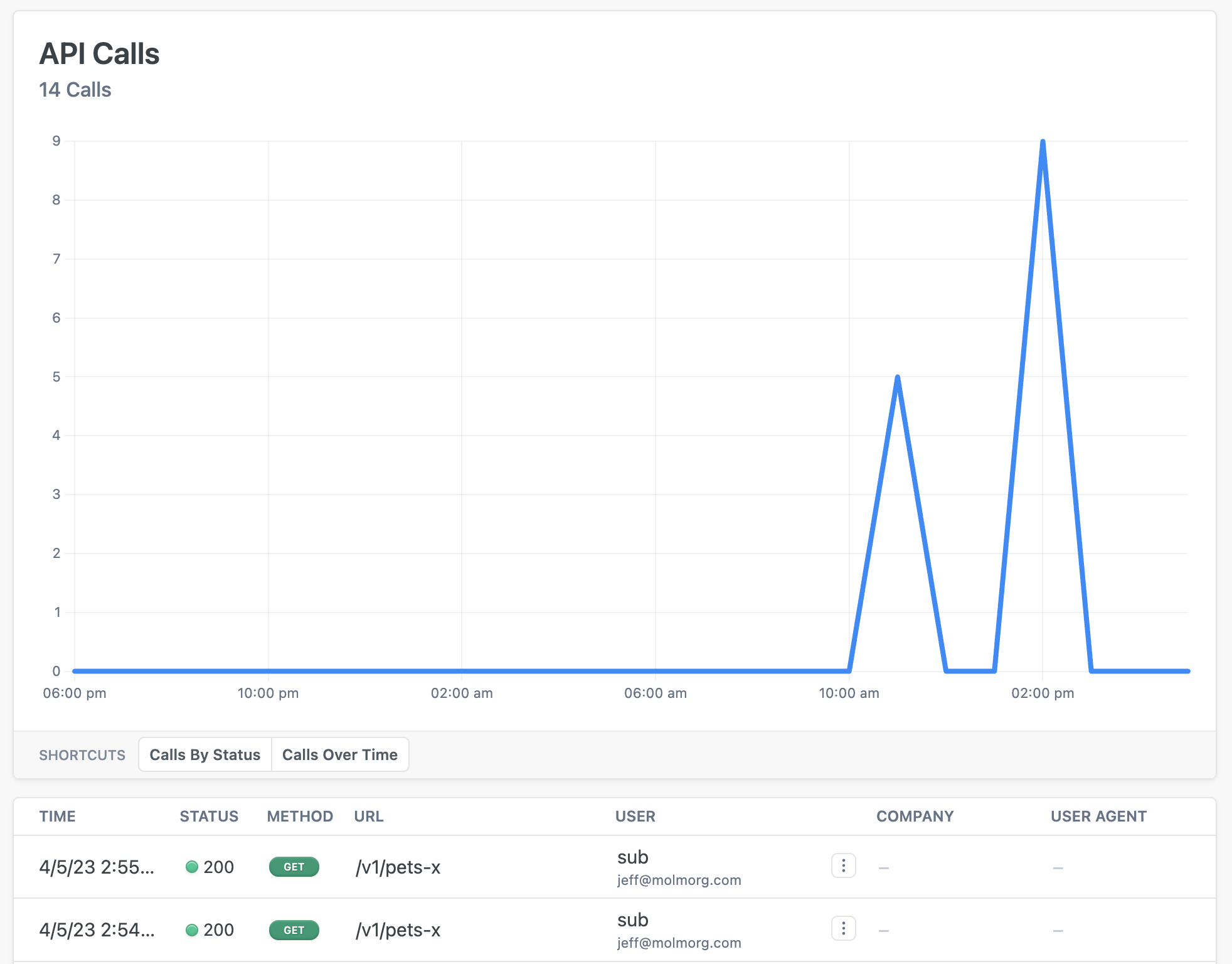
Readme is a developer Documentation and metrics service. This policy pushes the request/response data to their ingestion endpoint so you can see your Zuplo API traffic in their API calls dashboard.
Configuration
The configuration shows how to configure the policy in the 'policies.json' document.
config/policies.json
Policy Configuration
name<string>- The name of your policy instance. This is used as a reference in your routes.policyType<string>- The identifier of the policy. This is used by the Zuplo UI. Value should bereadme-metrics-inbound.handler.export<string>- The name of the exported type. Value should beReadmeMetricsInboundPolicy.handler.module<string>- The module containing the policy. Value should be$import(@zuplo/runtime).handler.options<object>- The options for this policy. See Policy Options below.
Policy Options
The options for this policy are specified below. All properties are optional unless specifically marked as required.
apiKey(required)<string>- The API key to use when sending metrics calls to Readme.userLabelPropertyPath<string>- This is the path to the property onrequest.userthat contains the label you want to use. For example.data.accountNumberwould read therequest.user.data.accountNumberproperty. Defaults to".sub".userEmailPropertyPath<string>- This is the path to the property onrequest.userthat contains the e-mail of the user. For example.data.emailwould read therequest.user.data.emailproperty. Defaults to"".development<boolean>- Whether the data should be ingested as 'development' mode or not. Defaults to true for working-copy and false for all other environments.useFullRequestPath<boolean>- When true, Zuplo sends the full request path (which might contain sensitive information). By default, we only send the route path which should not contain sensitive information. Defaults tofalse.url<string>- The URL to send metering events. This is useful for testing purposes. Defaults to"https://metrics.readme.io/request".
Using the Policy
Read more about how policies work
Last modified on