

Introduction
Every API deserves beautiful and powerful documentation. The Zuplo Developer Portal powers this documentation site and is available for all Zuplo users.
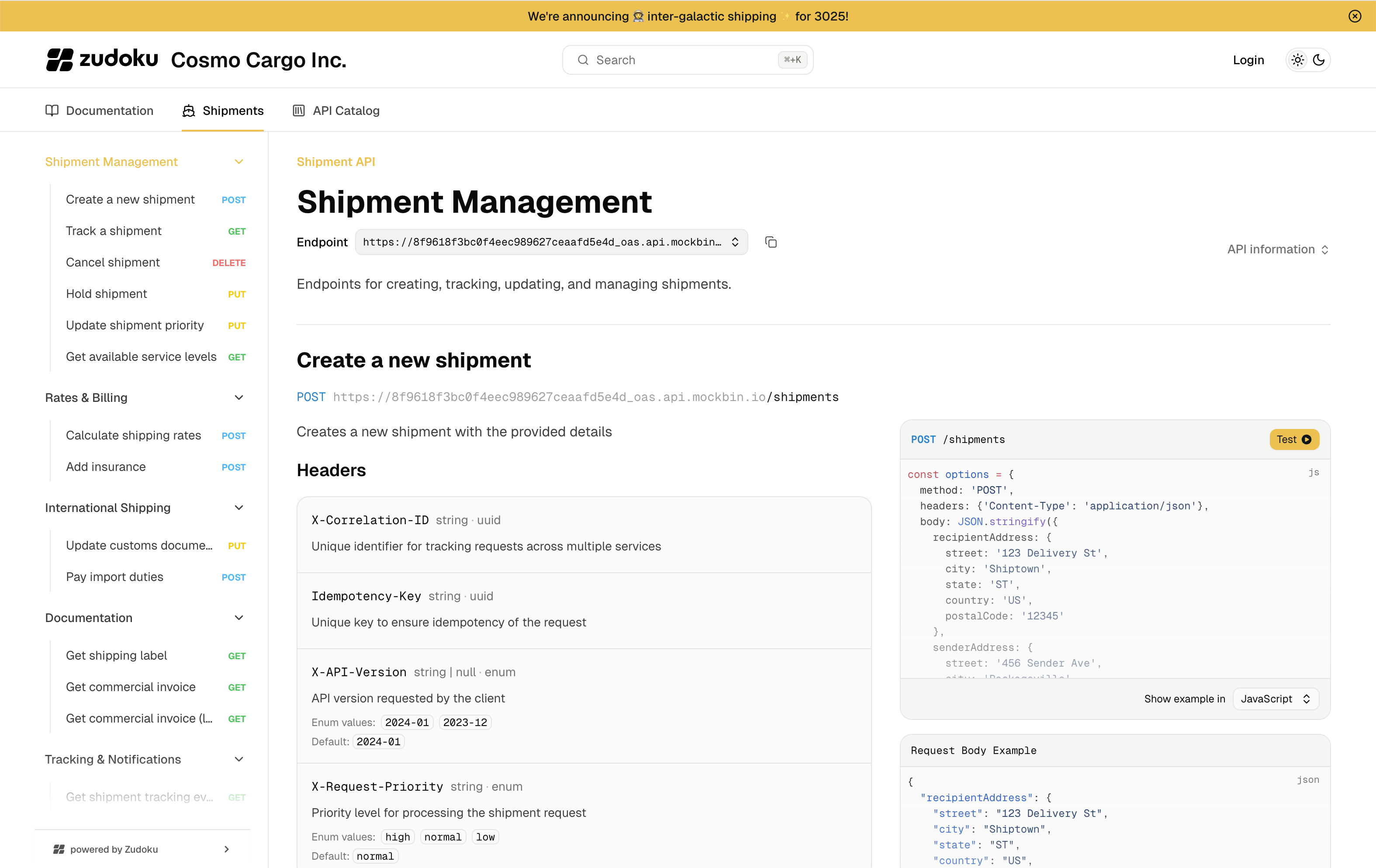
What is the Dev Portal?
The Developer Portal is a powerful tool that allows you to create and manage beautiful API documentation. It is built on top of the Zuplo platform and provides a seamless experience for developers to consume your APIs.
Why the new Dev Portal?
The new Developer Portal is rewritten from the ground up to provide a more customizable experience. It is easy to use out of the box, but also allows for advanced customization for those who want to take it to the next level. The new Developer Portal is built on top of Zudoku, which is a powerful static site generator that allows for advanced customization and theming. Zudoku is built on Vite which allows for fast builds and a great developer experience.
What Features are available?
The new Developer Portal is packed with features that make it easy to create and manage your API documentation. Some of the key features include:
- Markdown Documentation: Write your documentation in Markdown and have it automatically converted to HTML.
- API Documentation: Automatically generate API documentation from your OpenAPI specifications.
- API Explorer: Explore and test your API directly from the documentation.
- Custom Pages: Create custom pages for your documentation using Markdown, MDX, or even React.
- Custom Modules: Install custom modules to extend the functionality of your documentation.
- API Key Management: When using Zuplo's API Key management, manage API keys directly from the documentation.
- Built-in Analytics: End users can see how they are using the API, monitor usage of their API keys, and more right from inside the portal.
How to get started?
To get started, sign up for a Zuplo account and create a new project. Follow the migration guide to enable the Developer Portal on an existing project.
Build, Deploy, and Hosting
Zuplo manages the build, deploy, and hosting of your developer portal for you. Simply sign up for Zuplo, create a new project, and you will have a fully functioning developer portal in minutes. Zuplo handles all the hosting and deployment for you, so you can focus on building your API and documentation.
You can also configure a custom domain for your Developer Portal to match your brand. Learn more in the Custom Domains documentation.
Feedback
The Developer Portal is continuously improving. For suggestions or feedback, email support@zuplo.com.